
Line-item extraction
Description, quantity, unit price, tax, and totals — pulled from every line, even on low-quality scans and photos.
Core Invoice reads supplier invoices — every line, every tax, every total — and posts them straight into your ERP. No manual keying. No chasing PDFs through email.
Connects with the ERPs your finance team already uses







One pipeline takes invoices from inbox to ledger — extraction, validation, approvals, and reconciliation. Built so finance teams can replace spreadsheets and middleware, not stack more of them.
Description, quantity, unit price, tax, and totals — pulled from every line, even on low-quality scans and photos.
Push extracted data straight into JDE, SAP, NetSuite, or any system via our connector library or REST API.
Match invoices to payments and statements automatically. Catch duplicates, partials, and over-payments before they post.
Route invoices by supplier, amount, or cost centre. Full audit trail. SLAs, escalations, and Slack/email handoffs included.
Upload PDFs, drop into a watched folder, snap a photo, or pipe in via API.
The OCR model emits a structured record — supplier, lines, tax, totals.
Low-confidence fields are flagged. Your team approves or corrects in one screen.
Lands in your ERP. When payment clears, Core Invoice matches it automatically.
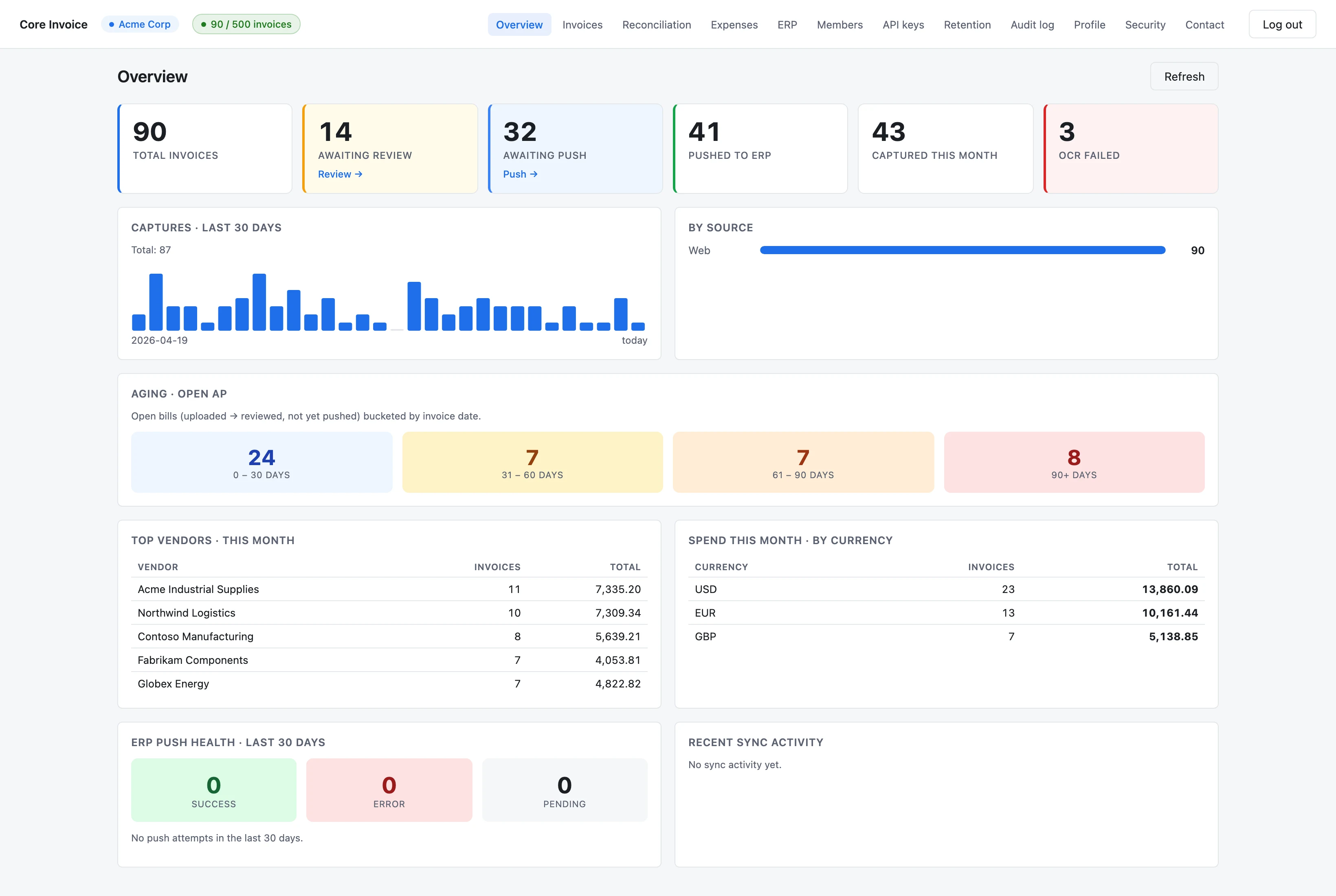
The dashboard your AP team opens every morning — captures, aging, vendor spend, and ERP push health in a single view.
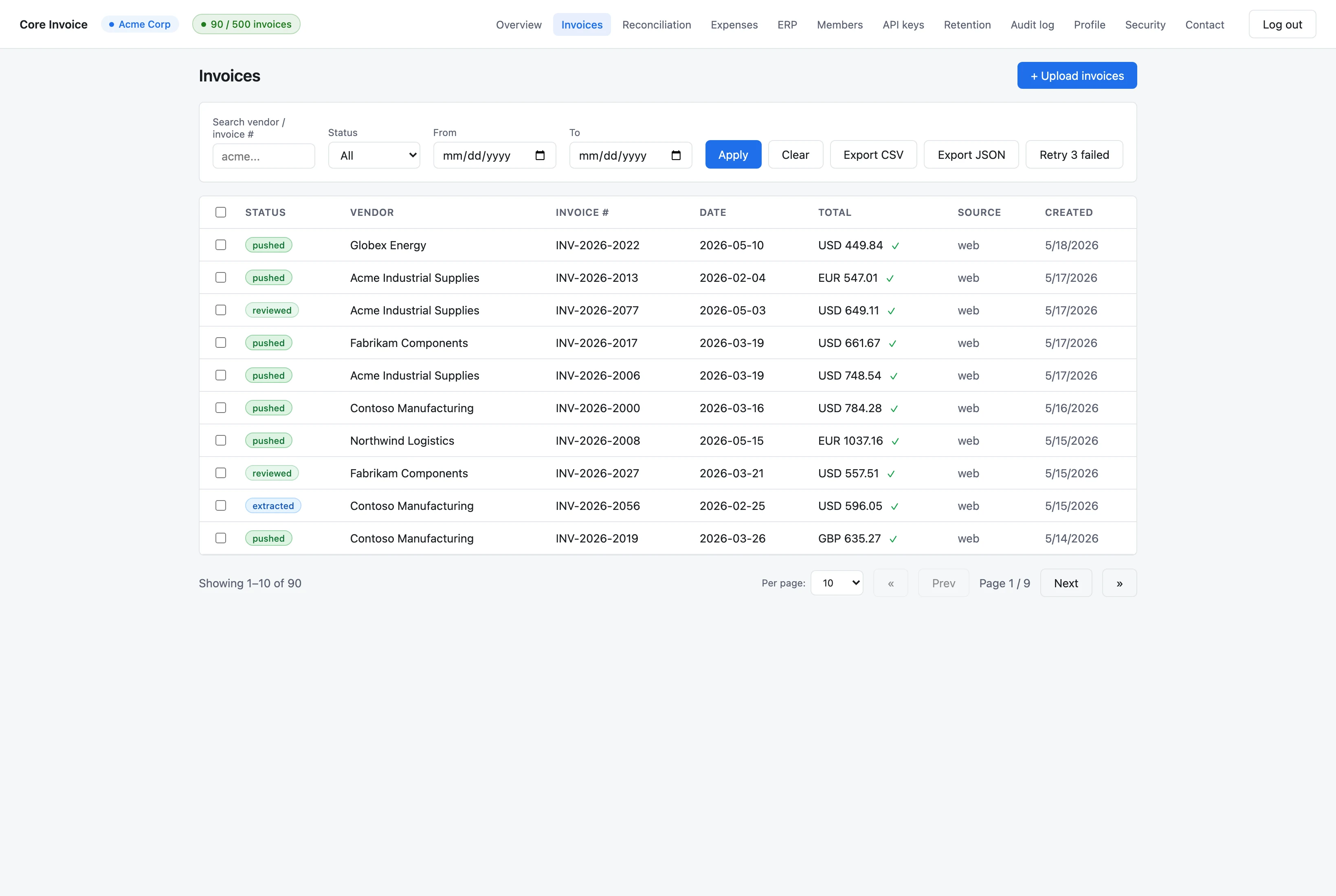
Filter by vendor, invoice number, date, or status. Export CSV/JSON. Retry failed OCR in one click.
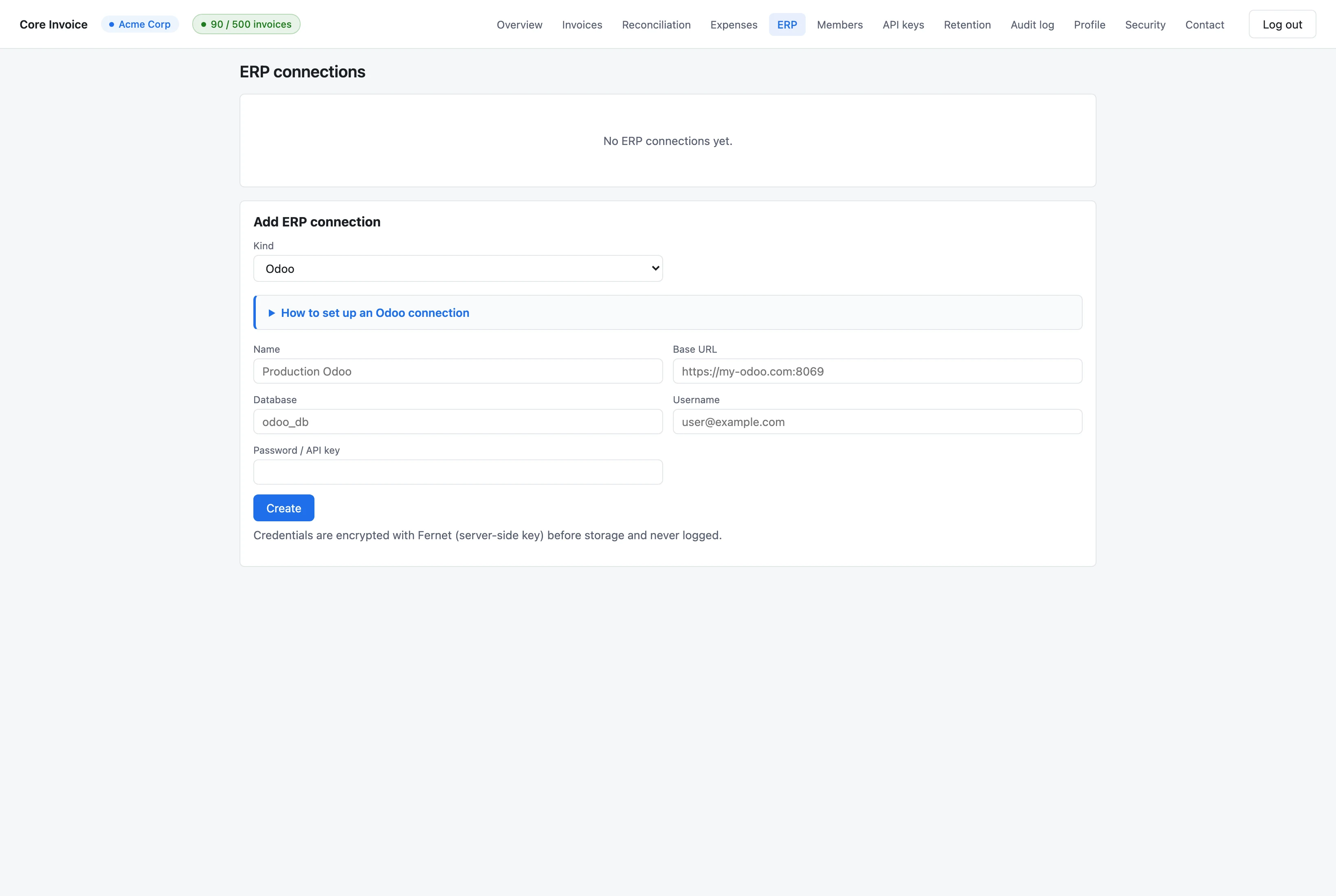
Credentials are Fernet-encrypted server-side and never logged. Test the connection before saving.
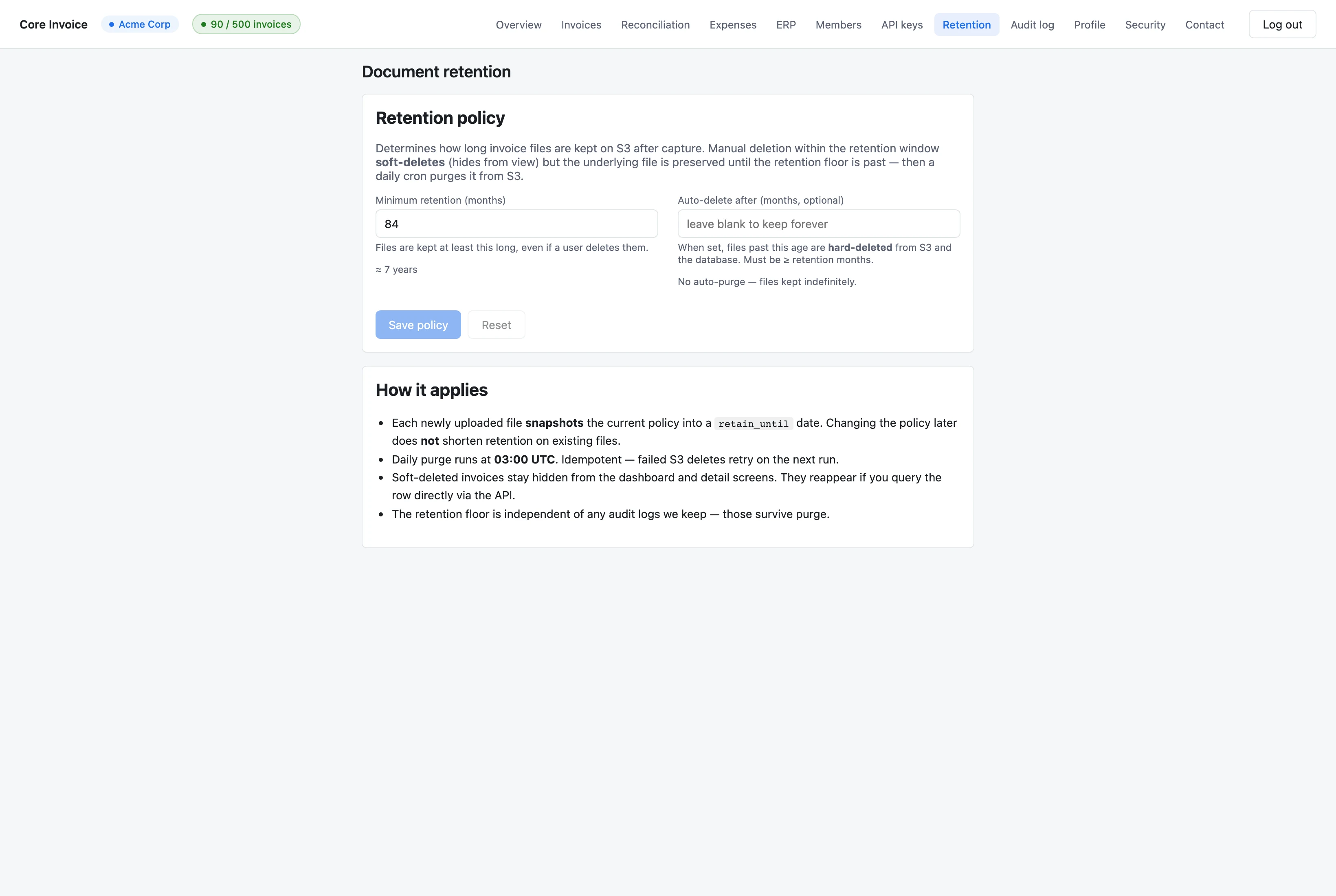
Default 7-year retention floor, soft-delete protection, daily idempotent S3 purge — the controls your compliance team will ask for.
Sign in to upload your first batch — extraction runs in seconds.